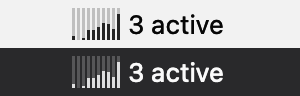
Watch your Claude Code and Cursor agents work from the menu bar. In the classic blue DFX Audio Enhancer skin.
$ curl -fsSL https://raw.githubusercontent.com/orenyomtov/dfx-agent-enhancer/main/install.sh | bash Installs to /Applications and starts at login.
1 Download the DMG. Drag the app into Applications.
2 Open it once, then System Settings > Privacy & Security > Open Anyway.The app isn't notarized, so macOS asks once. The terminal install skips this step.
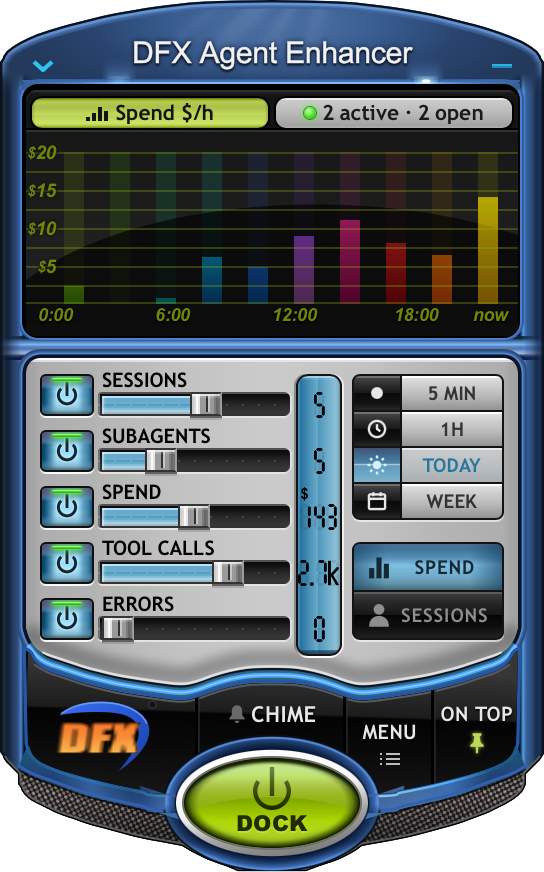
It reads the transcripts your agents already write to disk, then merges spend, sessions, subagents, tool calls and errors from Claude Code and Cursor into one live view.

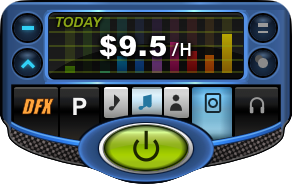
Dock the rack and it shrinks to a small deck with the same graph.
A tiny copy of the graph, and how many agents are working right now.
Nothing leaves your Mac. It only watches.
Pick a window: 5 MIN, 1H, TODAY (the default, from midnight) or WEEK. Hover anything for the exact numbers.
macOS only. Turn launch at login on or off from the menu-bar menu.
$ curl -fsSL https://raw.githubusercontent.com/orenyomtov/dfx-agent-enhancer/main/install.sh | bash Installs to /Applications and starts at login.
1 Download the DMG. Drag the app into Applications.
2 Open it once, then System Settings > Privacy & Security > Open Anyway.The app isn't notarized, so macOS asks once. The terminal install skips this step.
To uninstall, run the same command with bash -s -- --uninstall in place of bash.